

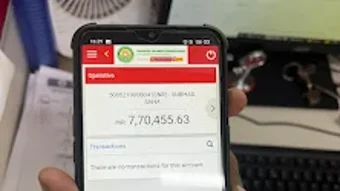
Description
Download BGVB mBanking – mobile banking, banking app, financial management, transaction history, fund transfer, mobile recharges, bill payments, fixed deposits, account balance, secure banking
Overview
BGVB mBanking is a mobile banking application developed by PNB RRB for customers of Bangiya Gramin Vikash Bank (BGVB). Designed specifically for Android devices, the app offers a secure and convenient platform for managing personal finances remotely. It enables users to access their account information, perform essential banking tasks, and stay informed about financial activities without visiting a physical branch. The primary purpose of the application is to enhance financial accessibility, particularly for customers in rural and semi-urban areas where banking infrastructure may be limited.
Target users include individuals who rely on digital banking services for daily financial operations such as checking balances, transferring funds, and paying utility bills. The app also supports fixed deposit management, making it a valuable tool for users interested in saving and growing their money. Real-world usage scenarios include remote fund transfers between accounts, mobile recharges, and timely bill payments—tasks that are essential for modern financial management. The developer did not provide additional details about the organization’s background beyond the name, but the app is positioned as a digital extension of BGVB’s customer service.
Key Features & Capabilities
- Account Balance Inquiry: Users can instantly check their current account balance with a single tap, enabling real-time financial awareness.
- Transaction History Access: The app displays a detailed record of past transactions, allowing users to track spending and monitor account activity.
- Fund Transfer: Customers can transfer money between their own accounts or to other individuals, streamlining personal and family financial coordination.
- Mobile Recharges: The app supports prepaid mobile number top-ups, providing a quick and convenient alternative to physical recharge points.
- Utility Bill Payments: Users can pay electricity, water, gas, and other utility bills directly through the app, reducing dependency on third-party services.
- Fixed Deposit Management: Customers can view and manage their fixed deposits, including maturity details and renewal options.
- Alerts and Notifications: Customizable alerts keep users informed about transactions, low balances, and other important banking events.
- Secure Authentication: The app employs advanced encryption to protect user data and ensure secure access to financial information.
These features collectively support efficient financial management, especially for users who prefer self-service banking. The intuitive layout ensures that even first-time users can navigate the app with minimal effort. Realistic usage includes managing household expenses, preparing for recurring payments, and monitoring savings goals—all from a smartphone.
User Interface, Workflow & Performance
The user interface of BGVB mBanking is designed with simplicity and clarity in mind. Navigation is structured around a central dashboard that provides quick access to core functions such as balance checks, transfers, and bill payments. Menus are logically organized, and the layout remains consistent across different screens, reducing the learning curve for new users.
Workflow efficiency is enhanced by minimizing the number of steps required to complete common tasks. For example, transferring funds typically involves selecting the recipient, entering the amount, and confirming the transaction—each step clearly labeled and accessible. The app’s responsiveness is consistent with standard Android applications, though exact performance details were not specified. The developer did not provide information on CPU or RAM usage, so resource behavior cannot be evaluated. Stability appears to be maintained based on the app’s release history and consistent updates.
Compatibility & System Requirements
BGVB mBanking is compatible with Android devices, as confirmed by the developer. The app is available for download on the Google Play Store and is designed to function on a wide range of Android smartphones and tablets. The current version is 2.0.1, released on May 1, 2024. The installation size is 32.4 MB, which is relatively lightweight for a banking application.
Exact system requirements were not listed. Compatibility information is limited to the operating system, and no specific hardware specifications such as minimum RAM or processor speed were provided. The developer did not specify whether the app supports older Android versions or requires a particular API level. Users are advised to ensure their device meets general Android compatibility standards for secure app operation.
Pros and Cons
Pros
- Free to download and use, reducing financial barriers for users.
- Offers essential banking functions including transfers, bill payments, and balance checks.
- Intuitive interface designed for ease of use across different user skill levels.
- Supports fixed deposit management, a feature not available in all basic banking apps.
- Includes real-time alerts to enhance financial awareness and security.
- Secure encryption technology protects sensitive user data.
Cons
- Available only on Android, limiting access for iOS users.
- Exact system requirements were not provided, which may cause uncertainty for some users.
- No information on offline functionality or data usage patterns.
- Performance under low network conditions was not documented.
- Limited to BGVB customers, restricting broader accessibility.
FAQ Section
Is BGVB mBanking available for iOS devices?
Currently, the app is only available for Android devices. There is no official version for iOS users.
Is the app safe to use?
Yes, BGVB mBanking uses advanced encryption to secure user data and transactions. It is recommended to download the app only from the official Google Play Store to ensure authenticity.
How often are updates released?
Updates are released periodically by the developer to improve functionality and security. The latest version, 2.0.1, was released on May 1, 2024.
Does the app require an internet connection?
Yes, the app requires an active internet connection to access account information, perform transactions, and receive notifications.
Can I use the app without a BGVB bank account?
No, BGVB mBanking is exclusively for customers of Bangiya Gramin Vikash Bank. A valid bank account with BGVB is required to register and use the app.
Final Thoughts
BGVB mBanking delivers a robust set of tools tailored to the needs of Bangiya Gramin Vikash Bank customers seeking a reliable mobile banking experience. Its focus on accessibility, security, and essential financial services makes it a practical choice for users who value convenience and control over their finances. The app’s user-friendly design and feature set—particularly the inclusion of fixed deposit management and utility bill payments—set it apart from basic banking tools.
While it is limited to Android users and lacks detailed system requirements, the app remains a strong option for its target audience. For individuals in rural or underserved areas who rely on digital banking, BGVB mBanking offers a lifeline to financial independence and efficiency.
Download BGVB mBanking now
Guides & Tutorials for BGVB mBanking
How to install BGVB mBanking
- Click the Preview / Download button above.
- Once redirected, accept the terms and click Install.
- Wait for the BGVB mBanking download to finish on your device.
How to use BGVB mBanking
This software is primarily used for its core features described above. Open the app after installation to explore its capabilities.
User Reviews for BGVB mBanking 0
No reviews found





